
Support has been upgraded!
The Support Forum is closed. Not to worry! Providing the top quality support you expect and we're known for will continue! We're not ending support, just changing where you submit requests. This will provide you with the best experience possible.
Premium Support
Have you purchased an addon for Connections such as one of our premium templates or extensions with a valid license and you need help?
Please open a Support Ticket in your user account.
Free Support
Are you using the free Connections plugin? Don't worry, you are still very important to us! We are still providing you with the same high quality support that we're known for.
Please open a new support topic in the WordPress support forums for Connections.
Tagged: 8.19.1
- This topic has 19 replies, 3 voices, and was last updated 8 years, 4 months ago by
Steven Zahm.
-
AuthorPosts
-
05/24/2018 at 11:50 am #463618
India
ParticipantThis reply has been marked as private.05/24/2018 at 12:19 pm #463620Steven Zahm
Keymaster@ India
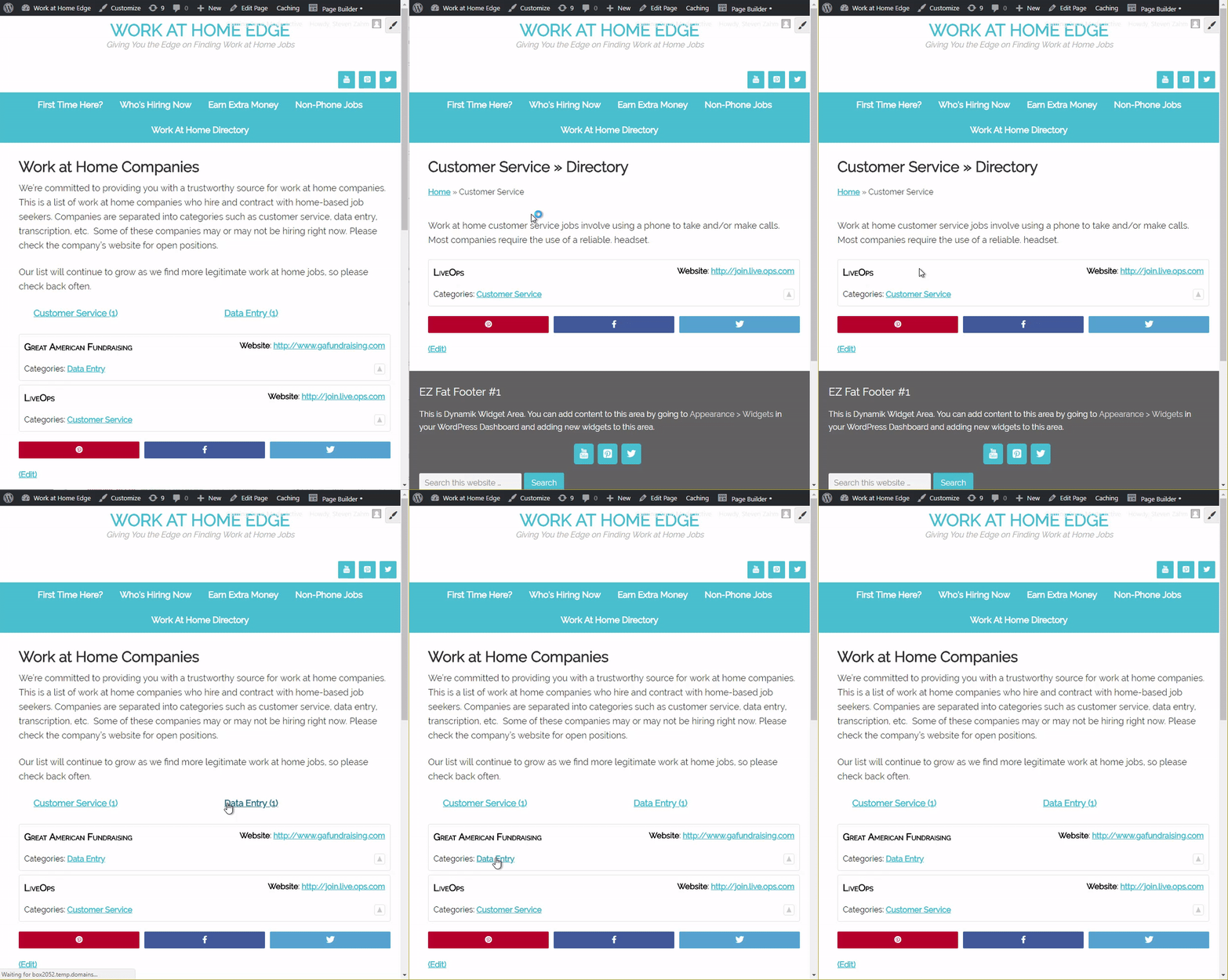
I’m sorry, but I must not be understanding the issue. I navigate to the “Work at Home Companies” page then I clicked the “Customer Service (1)” link. The page reloaded showing the “Customer Service » Directory”. Immediately before the “LiveOps” is the “Customer Service” category description. I then clicked the back button and then clicked the “Customer Service” link in the “LiveOps” entry. The result was the same, the category description was displayed.
This is what you want isn’t it??? Or, am I completely misunderstanding?
05/24/2018 at 12:39 pm #463624ParticipantThis reply has been marked as private.05/24/2018 at 1:29 pm #463631Keymaster@ India
Please try this…
Open a Private Browsing Window. Copy/paste the admin link you gave me in the the private browsing window address bar and hit enter. Navigate to the “Work at Home Companies” page and click the links. What do you see?
I made an animated GIF so you can see what I see:
 05/24/2018 at 2:43 pm #463634ParticipantThis reply has been marked as private.05/24/2018 at 3:13 pm #463635Keymaster
@ India
My guess is yes, you are seeing cached pages. Clearing cookies would not make a difference, or at least should not. Perhaps the browser is showing you cached pages instead of fetching fresh. That’s not possible for me to know. Flushing the browser cache would be a good start. Hope that helps, let me know.
05/24/2018 at 3:22 pm #463636ParticipantThis reply has been marked as private.05/24/2018 at 3:48 pm #463637Keymaster@ India
Simply out of curiosity… in a private window, log in as yourself? Does it work as expected?
Just so we’re on the same page, Connections is not caching these pages. Connections does not cache pages… something else is. If you are using a page cache plugin, ensure it is not caching pages for logged in user. If you are using a server side page cache, flush it. Scour all the other plugins and theme settings for cache settings and purge them.
Hope this helps!
05/24/2018 at 5:41 pm #463639ParticipantThis reply has been marked as private.05/25/2018 at 9:05 am #463669Keymaster@ India
Ok, this indicates that you are being served cached pages based on your login. I would clear any plugin page caching or any server side page caching you are using. At this point we’ve eliminated browser caching.
-
AuthorPosts
You cannot reply to this support topic. Please open your own support topic.