
Support has been upgraded!
The Support Forum is closed. Not to worry! Providing the top quality support you expect and we're known for will continue! We're not ending support, just changing where you submit requests. This will provide you with the best experience possible.
Premium Support
Have you purchased an addon for Connections such as one of our premium templates or extensions with a valid license and you need help?
Please open a Support Ticket in your user account.
Free Support
Are you using the free Connections plugin? Don't worry, you are still very important to us! We are still providing you with the same high quality support that we're known for.
Please open a new support topic in the WordPress support forums for Connections.
Tagged: 8.25.1, cMap, configuration, template
- This topic has 3 replies, 2 voices, and was last updated 8 years, 2 months ago by
Steven Zahm.
-
AuthorPosts
-
08/09/2018 at 9:17 am #469619
Russ
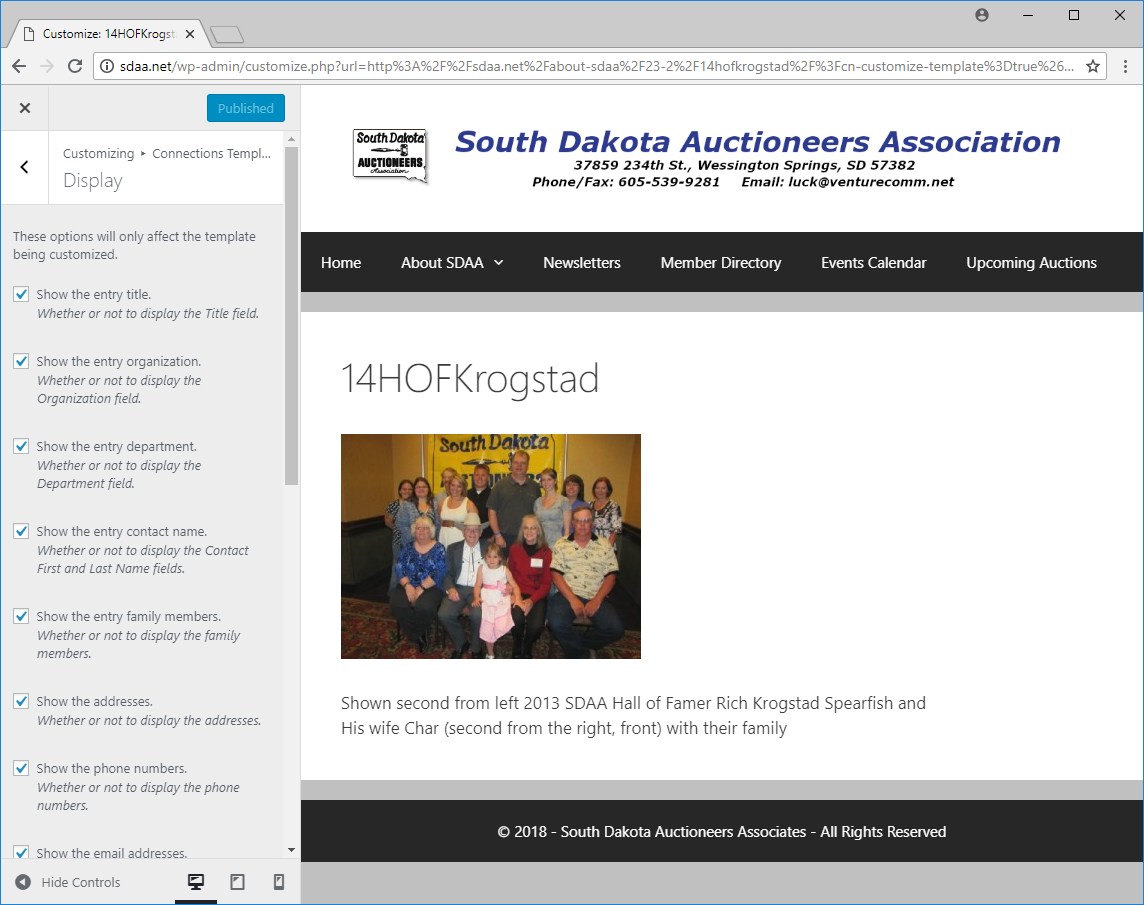
ParticipantI am reopening this ticket because the instructions you have provided don’t seem to apply. I believe the problem is that I do not see the instructions that you have referenced as “in the preview above the directory”. On my site, the Connections is on a separate webpage. When I go into Customize from the Connections Templates Admin page the preview I see is not of the directory but instead it is a page that shows a random image my media gallery. You can see a screenshot of what I see by going to the following URL: http://sdaa.net/wp-content/uploads/2018/08/screenshot.png. The website is sdaa.net and the Connections directory is used on the Member Directory page at http://sdaa.net/members/.
Thank you for your continued efforts to help me resolve this issue. I appreciate the support.
Attachments:
You must be logged in to view attached files.08/09/2018 at 9:35 am #469621Steven Zahm
Keymaster@ Russ
RE: On my site, the Connections is on a separate webpage. When I go into Customize from the Connections Templates Admin page the preview I see is not of the directory but instead it is a page that shows a random image my media gallery.
Please navigate to the Connections Settings admin page and choose your Members page as the directory home page. I suspect that this is either not set or set to a different page than the one the directory exists.
Hope this helps, let me know.
08/09/2018 at 9:48 am #469622ParticipantThank you! This is what I needed and the issue has now been fully resolved. Thank you for the outstanding support!
08/09/2018 at 12:14 pm #469628Keymaster@ Russ
Great to hear! I’m always glad when the solution end up being quick and easy.
-
AuthorPosts
You cannot reply to this support topic. Please open your own support topic.