
Support has been upgraded!
The Support Forum is closed. Not to worry! Providing the top quality support you expect and we're known for will continue! We're not ending support, just changing where you submit requests. This will provide you with the best experience possible.
Premium Support
Have you purchased an addon for Connections such as one of our premium templates or extensions with a valid license and you need help?
Please open a Support Ticket in your user account.
Free Support
Are you using the free Connections plugin? Don't worry, you are still very important to us! We are still providing you with the same high quality support that we're known for.
Please open a new support topic in the WordPress support forums for Connections.
Tagged: 8.5.30, csv import, error, extension, fatal, javascript
- This topic has 18 replies, 2 voices, and was last updated 9 years, 10 months ago by
Steven Zahm.
-
AuthorPosts
-
12/02/2016 at 7:16 am #402043
James Finlen
ParticipantHello,
Last night I went to import a CSV file with 697 entries into my directory. I tried this on 2 different sites. On both occasions, the loading bar never got past the “please wait” stage. After several hours, I went to check the directory and it did import exactly 100 entries, and no more. This was the exact same result on both sites I tried this. Please advise, Thanks!
12/02/2016 at 10:25 am #402047Steven Zahm
Keymaster@ James
This indicates that there is a fatal javascript error occurring on the page which is breaking the bulk importing.
- Log back into your site and navigate to the CSV Import admin page.
- Hit the F12 key and the click the Console tab.
- Do an import.
- On the processing step of the import where it says please wait, look thru the messages displayed in the Console for errors. Any of the listed errors could break javascript on the page but the most common type is an “undefined” error. If you have one (or more) of theses errors, mouseover the filename to the right of the error. The full file path will be displayed in a tooltip. This file path will hint at the plugin (or theme) causing the error. The easy solution would to temporarily deactivate the plugin at the source of the error and then do the import and activate the offending plugin when finished.
Hope this helps, let me know.
12/03/2016 at 12:57 pm #402156ParticipantThis reply has been marked as private.12/03/2016 at 1:51 pm #402166ParticipantThis reply has been marked as private.12/03/2016 at 2:10 pm #402167Participant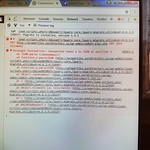
Attachments:
You must be logged in to view attached files.12/03/2016 at 2:11 pm #402169Participant 12/03/2016 at 6:54 pm #402178ParticipantThis reply has been marked as private.12/05/2016 at 9:22 am #402243Keymaster
@ James
If you can giv3e me a temp admin login and a copy of the CSV file, I’ll be happy to take a closer look.
My guess at this point is that, since you are a shared account, that the server might over loaded (impossible to prove) and Bluehost is CPU throttling your account during imports.
12/05/2016 at 11:44 am #402251ParticipantThis reply has been marked as private.12/05/2016 at 12:50 pm #402255Keymaster@ James
Could you attached a screenshot of the mapping you are using?
-
AuthorPosts
You cannot reply to this support topic. Please open your own support topic.