

Forum Replies Created
-
AuthorPosts
-
Steven Zahm
Keymaster@ Gina
The
cn_register_custom_metabox_and_text_fieldis not a function in Connections, this would be something you or your dev would have added.My best guess based on that name is that you or your dev was following this tutorial on how to add a custom text field.
The first line of code in that tutorial is this:
add_action( 'cn_metabox', 'cn_register_custom_metabox_and_text_field' );This seems to indicate you’ve added this line of code, but not the actual function or you renamed the function without updating the action.
Locate this code and either correct it or remove it and the error will disappear.
Hope this helps!
Keymaster@ Rich
If you are using a visual page builder either built in into the theme or added as a plugin and running Connections >= 8.19 , please try deleting and reinstalling Connections.
Does that correct it?
Keymaster@ India
Simply out of curiosity… in a private window, log in as yourself? Does it work as expected?
Just so we’re on the same page, Connections is not caching these pages. Connections does not cache pages… something else is. If you are using a page cache plugin, ensure it is not caching pages for logged in user. If you are using a server side page cache, flush it. Scour all the other plugins and theme settings for cache settings and purge them.
Hope this helps!
Keymaster@ India
My guess is yes, you are seeing cached pages. Clearing cookies would not make a difference, or at least should not. Perhaps the browser is showing you cached pages instead of fetching fresh. That’s not possible for me to know. Flushing the browser cache would be a good start. Hope that helps, let me know.
Keymaster@ India
Please try this…
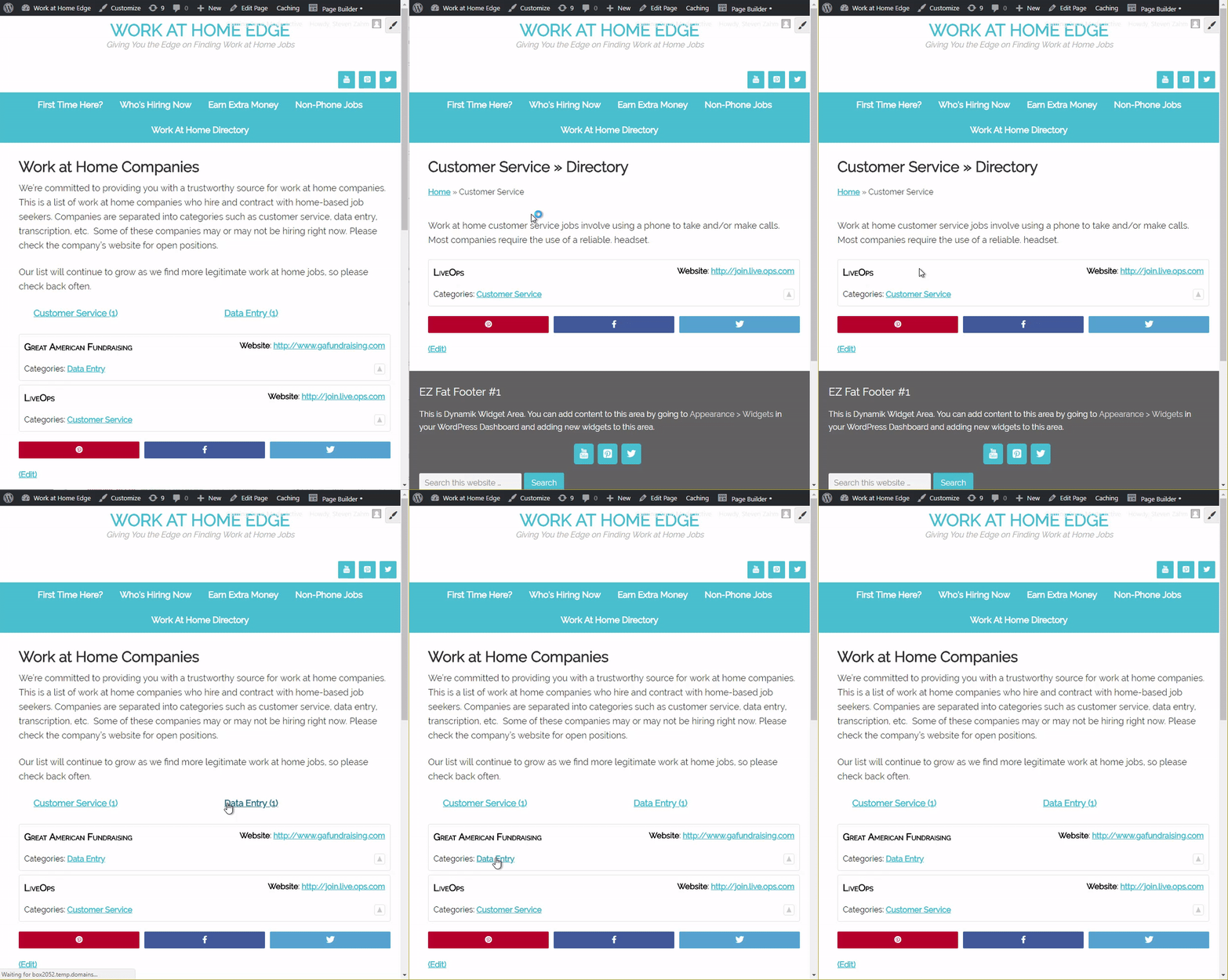
Open a Private Browsing Window. Copy/paste the admin link you gave me in the the private browsing window address bar and hit enter. Navigate to the “Work at Home Companies” page and click the links. What do you see?
I made an animated GIF so you can see what I see:
 Keymaster
@ Porter
Sorry, the design of cMap is to display only the logo or photo, not both. Similarly with the notes, they are designed to display within the content tray. The only way to make these changes is to edit the PHP files of the template.
Keymaster@ India
I’m sorry, but I must not be understanding the issue. I navigate to the “Work at Home Companies” page then I clicked the “Customer Service (1)” link. The page reloaded showing the “Customer Service » Directory”. Immediately before the “LiveOps” is the “Customer Service” category description. I then clicked the back button and then clicked the “Customer Service” link in the “LiveOps” entry. The result was the same, the category description was displayed.
This is what you want isn’t it??? Or, am I completely misunderstanding?
Keymaster@ India
Sorry, but I can not see that page. I get the coming soon splash screen. Please use this plugin to create a temp admin account so I can see.
https://wordpress.org/plugins/temporary-login-without-password/
Keymaster@ John
This is a Google Maps error…
Please open the page in Chrome, hit the F12 key and click the Console tab. You’ll see that Google is throwing an InvalidKey error
https://developers.google.com/maps/documentation/javascript/error-messages#invalid-key
This means the Google Maps API key you setup in the Google API Console is invalid or does not match the API key being provided. The key you would have entered on the Connections : Setting admin page under the Advanced tab.
I would suggest checking that the Google Maps API key entered on the Connections : Setting admin page under the Advanced tab matches the key you created in the Google API Console.
After you verify that the keys do match, exactly, verify that the key is valid in the Google API Console. How will you know? My guess is that Google will tell you if it is or if it is not and why in the API Console.
Here’s the link to the Google API Console:
https://cloud.google.com/maps-platform/#get-started
Hope this helps!
ps. This is our tutorial on setting up a Google Maps API key which I assume you had followed previously.
Keymaster@ Traci
Sorry, no Connections does not accept payments for listings. I do not plan on adding such features. I recommend you use a membership plugin like Restrict Content Pro to manage membership payments and renewals. This greatly increases your ability to monetize your site where a directory is just one benefit of the user’s membership.
There are other directory plugins which do integrate payments, but then you lock yourself into only being able to monetize your directory making it very difficult to expand member benefits and further increase your opportunity to monetize.
-
AuthorPosts